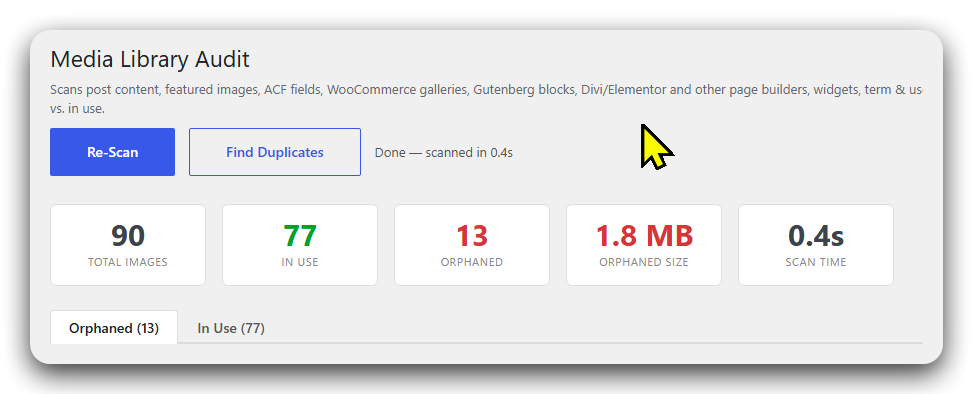
WP Media Audit scans your whole site, shows exactly which images are unused, finds duplicate files, and removes them — with a 30-day Recycle Bin and ZIP backups so nothing is ever lost.
Just want to see what you're wasting? Start with the free scanner →
Images you uploaded but never used. Old versions. The same file uploaded three times. It bloats your library, slows your backups, and wastes disk you're paying for.
Hundreds of files referenced nowhere on the site — pure dead weight.
The same photo uploaded again and again as image-1.jpg, image-2.jpg…
A bloated uploads folder makes every backup bigger and slower.
Finds truly-unused images and won't flag ones that are actually in use — because it checks where other tools don't.
Hashes file contents to find byte-identical duplicates, keeps the original, and clears the copies.
Removals go to a bin for 30 days. Restore anything in one click — delete with zero fear.
Zip up orphaned images as a backup and remove them in one action. The backup is built first.
Scans in batches with a live progress bar, so it works on libraries with thousands of images.
See exactly how much disk you'll get back, with sizes, dates and where each image is used.
Most "delete unused media" plugins have shallow detection — they miss images used in page builders or custom fields, flag them as orphaned, and you end up with broken pages. WP Media Audit is built to be conservative and thorough.
Run a scan from Media → Library Audit. See orphaned vs. in-use images in a visual grid with sizes and locations.
Check what's safe to remove. Find duplicates. Click into any in-use image to see exactly where it lives.
Back up & remove, or send to the Recycle Bin. Reclaim the space — and restore anything within 30 days.
Every plan is the full Pro plugin — deep detection, safe removal, duplicate finder, Recycle Bin & ZIP backups. Choose yearly or a one-time lifetime license.
Not ready to buy? Try the free scanner first → — read-only, and it shows exactly how much space you can reclaim.
Secure checkout by Freemius · 30-day money-back guarantee · Requires WordPress 5.8+ & PHP 7.4+
Detection is deliberately conservative and covers page builders, ACF, and WooCommerce — if an image might be in use, it's kept. And every removal goes to a 30-day Recycle Bin or comes with a ZIP backup, so anything can be undone. As with any cleanup tool, keep a site backup before bulk operations.
Yes — Gutenberg, Divi, Elementor, Beaver Builder and WPBakery are covered, plus ACF and WooCommerce. Divi gets the deepest dedicated parsing.
The scanner and duplicate finder run in batches with a progress bar, so they won't time out even with thousands of images.
It builds a ZIP of the selected orphaned images first, and only deletes the files after they're safely inside the archive — then hands you the download.
Yes. "Move to Trash" keeps images in the Recycle Bin for 30 days for one-click restore. "Download & Remove" gives you a ZIP backup instead.
Stop paying to store images nobody uses. Clean up safely — and get the space back.
Get WP Media AuditGet occasional WordPress media-cleanup tips and product updates. No spam — unsubscribe anytime.